By TechNews Editor | Published in Applications & Hardware
When examining the evolution of modern operating systems, Microsoft’s mobile initiative is often remembered as a market failure. However, a closer look at the platform’s architectural evolution—specifically during the transition to Windows 10 Mobile—reveals that Microsoft pioneered concepts that have become standard in today’s multi-device computing ecosystem.
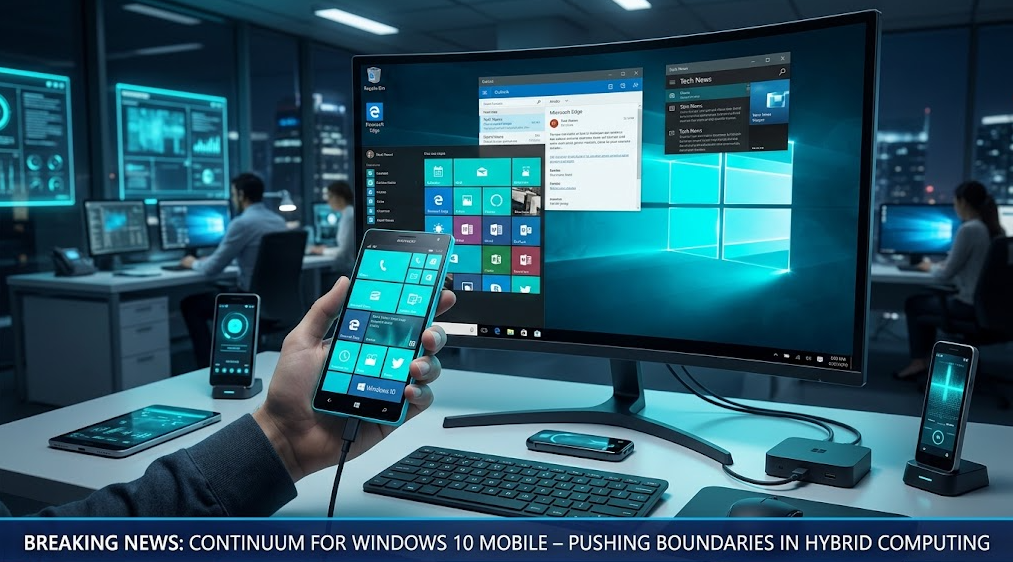
Chief among these technical innovations was Continuum, a technology designed to transform a smartphone into a fully functional desktop computer.
The Universal Windows Platform (UWP) Vision
Before Apple introduced Silicon-based cross-platform apps or Google integrated Android with ChromeOS, Microsoft attempted to solve the fragmentation problem with the Universal Windows Platform (UWP).
As detailed in technical documentation on Microsoft Learn, UWP enabled developers to write a single codebase that could run natively across multiple device form factors:
- Adaptive UI Layouts: User interfaces dynamically adjusted based on screen size, switching from touch-optimized controls to mouse-and-keyboard layouts seamlessly.
- Unified Kernel Architecture: Windows 10 Mobile shared the exact same core binary kernel (OneCore) as the desktop version of Windows 10, enabling native resource management and security protocols.
Continuum: Transforming a Phone into a PC
Introduced with flagship devices like the Lumia 950 and 950 XL, Continuum allowed users to connect their Windows Phone to an external monitor, keyboard, and mouse via a USB-C dock or wireless DisplayPort.
According to technical reviews published by Ars Technica, Continuum was not merely mirroring the smartphone display. Instead, it rendered a true desktop interface complete with a Start Menu, taskbar, and desktop-class window management. While connected to a monitor, the phone remained fully operational as an independent device for calls and text messaging.
Further background on the platform’s lifecycle can be explored via Wikipedia’s Windows 10 Mobile overview.
Why Continuum Was Ahead of Its Time
Despite its technical brilliance, Continuum faced key bottlenecks that limited mainstream adoption:
- Mobile Hardware Thermal Constraints: Running simultaneous phone and desktop computing stacks on 2015-era mobile processors generated severe thermal throttling.
- Lack of Win32 Desktop App Support: Continuum could only run compiled UWP applications, excluding legacy desktop software that enterprise users depended on.
- Immature USB-C Ecosystem: In 2015, multi-port USB-C hubs and wireless display protocols were in their infancy, leading to connectivity friction.
The Lasting Legacy on Modern Ecosystems
As explored in our ongoing coverage of mobile architectures and hardware convergence in Tech today, the vision behind Continuum lives on today. Features like Samsung DeX, Motorola Ready For, and Apple’s Stage Manager draw direct technical inspiration from Microsoft’s original mobile-to-desktop paradigm.
Windows Phone proved that the future of computing was not in separating desktop and mobile devices, but in creating a single portable compute engine capable of powering any screen.